Fitness Paws
More

Everything else, grouped by purpose.

You’re in Guide.

Overview and inbox

No pets added Add New Pet

Choose how meaningful Fitness Paws moments feel. These controls never change notification delivery.

Motion
Sounds
Haptics on the mobile app
Quiet is the default, and inbox updates never make a browser sound. Gentle enables short sounds for meaningful moments. Your device settings always take priority.

Find your pack

Find your people in Communities

Find focused spaces for pets, fitness, nutrition, training, local events, and the interests your team shares.

Editorial artwork for Find your people in Communities

Watch

A quick look in 18 seconds

Original music + captions
Read the video transcript
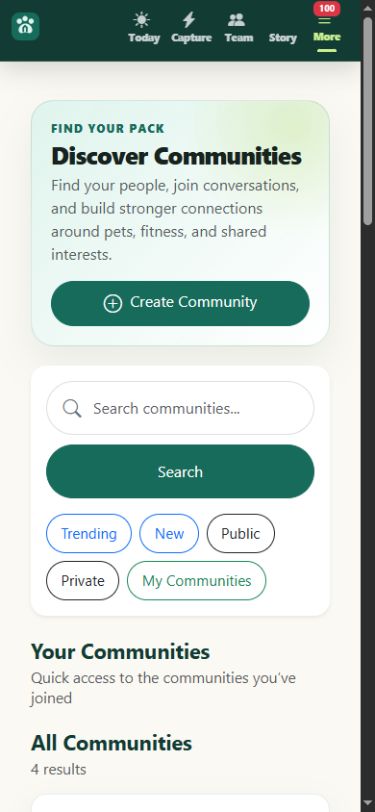
  1. Start with an interest. Search or browse communities around pets, movement, food, training, rescue work, and everyday life.
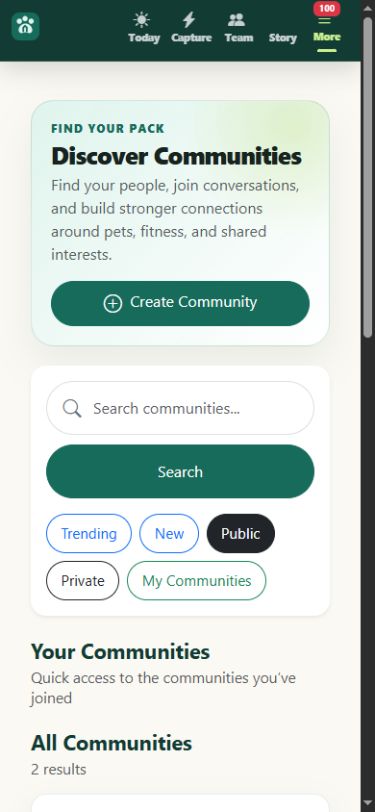
  2. Choose the right kind of space. Use Trending, New, Public, Private, or My Communities to narrow the library without pressure to join.
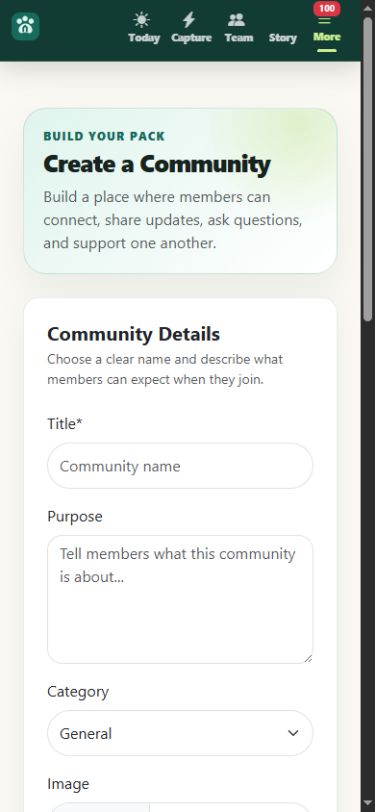
  3. Build a focused community. Give a new space a clear purpose and category so the right people know what belongs there.
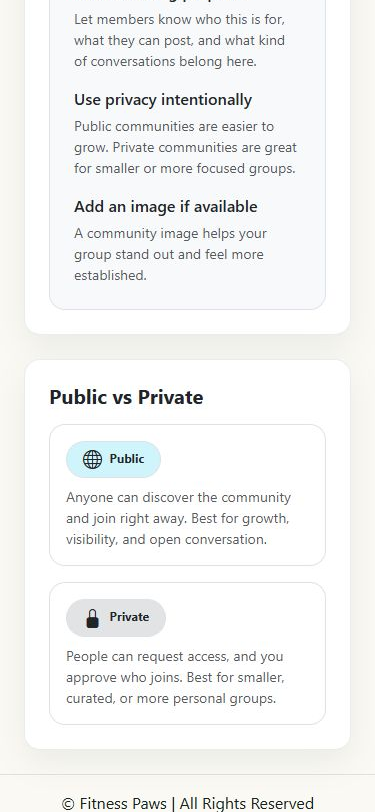
  4. Use privacy intentionally. Public spaces are easy to discover. Private spaces let people request access for a smaller, curated group.
  5. Ready when you are. Browse Communities whenever this feature feels useful.

At your pace

The walkthrough

4 simple steps
01

Start with an interest

Search or browse communities around pets, movement, food, training, rescue work, and everyday life.

Fitness Paws Communities overview with search and discovery filters
02

Choose the right kind of space

Use Trending, New, Public, Private, or My Communities to narrow the library without pressure to join.

Communities search with the Public filter selected
03

Build a focused community

Give a new space a clear purpose and category so the right people know what belongs there.

Create a Community form with title, purpose, category, and image fields
04

Use privacy intentionally

Public spaces are easy to discover. Private spaces let people request access for a smaller, curated group.

Fitness Paws explanation of public and private Communities

Ready to explore?

Put this feature to work when it fits your day.

Browse Communities